#Manage markers for lineplots with Python seaborn
Setup
# Import libraries
import pandas as pd
import seaborn as sns
import numpy as np

# Set plots size
sns.set(rc={'figure.figsize':(12,7)})

# Load sample data
df = (
    sns.load_dataset('flights')
    .loc[lambda x: x['year'] > 1956]
    .reset_index(drop=True)
)Same marker for all lines
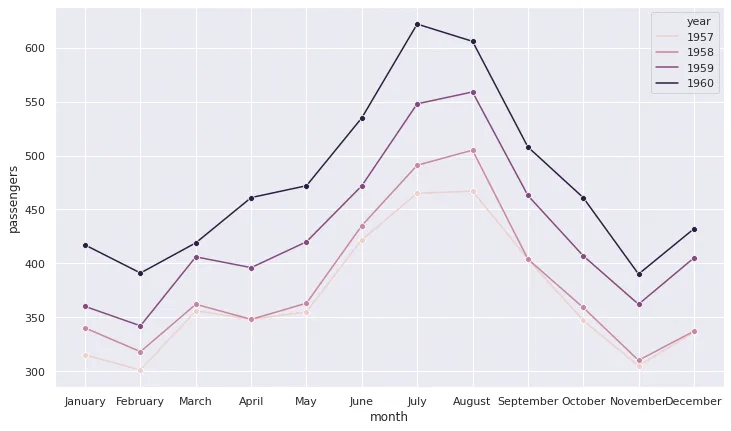
To use the same marker style for all lines on the plot, set the marker argument (without a final s).
# Line plot with the same marker for all categories
sns.lineplot(
    data=df, x='month', y='passengers',
    hue='year', marker='o'
);
Different markers by line
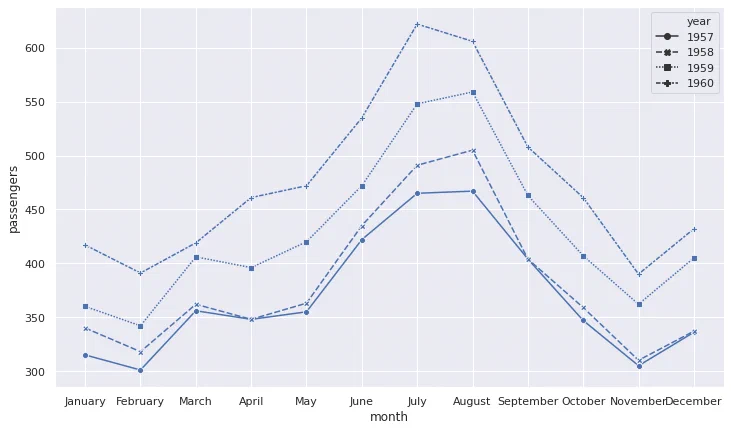
To plot different markers for each line, without specifying the style, set style to the grouping variable and set markers (with a final s) to True.
# Line plot with a different marker for each category
sns.lineplot(
    data=df, x='month', y='passengers',
    style='year', markers=True
);
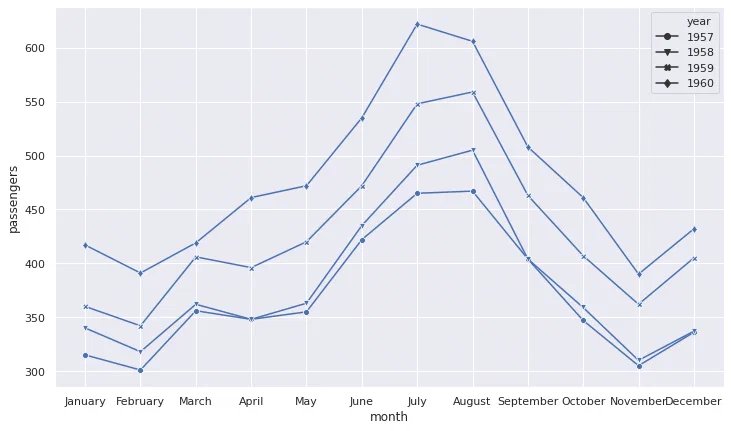
It is also possible to specify the markers styles by passing a list. To avoid incompatibilities between the line and the markers style, set dashes to False.
# Specify the markers style for each category
sns.lineplot(
    data=df, x='month', y='passengers',
    style='year', dashes=False, markers=['o', 'v', 'X', 'd']
);